68% off on product page · save $45.40
Best Lightweight Gaming Mouse: How to Find Your Fit
There is no single best lightweight mouse for every gamer. A good choice feels easy to move without making you tense your hand to aim, click, or lift it. Weight matters most when you frequently reposition the mouse, such as during fast-paced shooters, but shape and grip can matter just as much over a long session.
Start with how you hold your mouse. If your palm rests on it, look for a shape that supports your hand without forcing your fingers to stretch. If you use a fingertip or claw grip, check that you can lift and stop the mouse confidently. A lighter mouse that feels awkward in your hand is unlikely to be your best option.

A responsive sensor, reliable clicks, and a comfortable shape are more useful than chasing the highest advertised DPI. Most players adjust sensitivity in-game and benefit from a setting that makes both broad turns and small corrections feel predictable. Test a mouse at your usual desk, with your usual mouse pad and sensitivity, if you can.
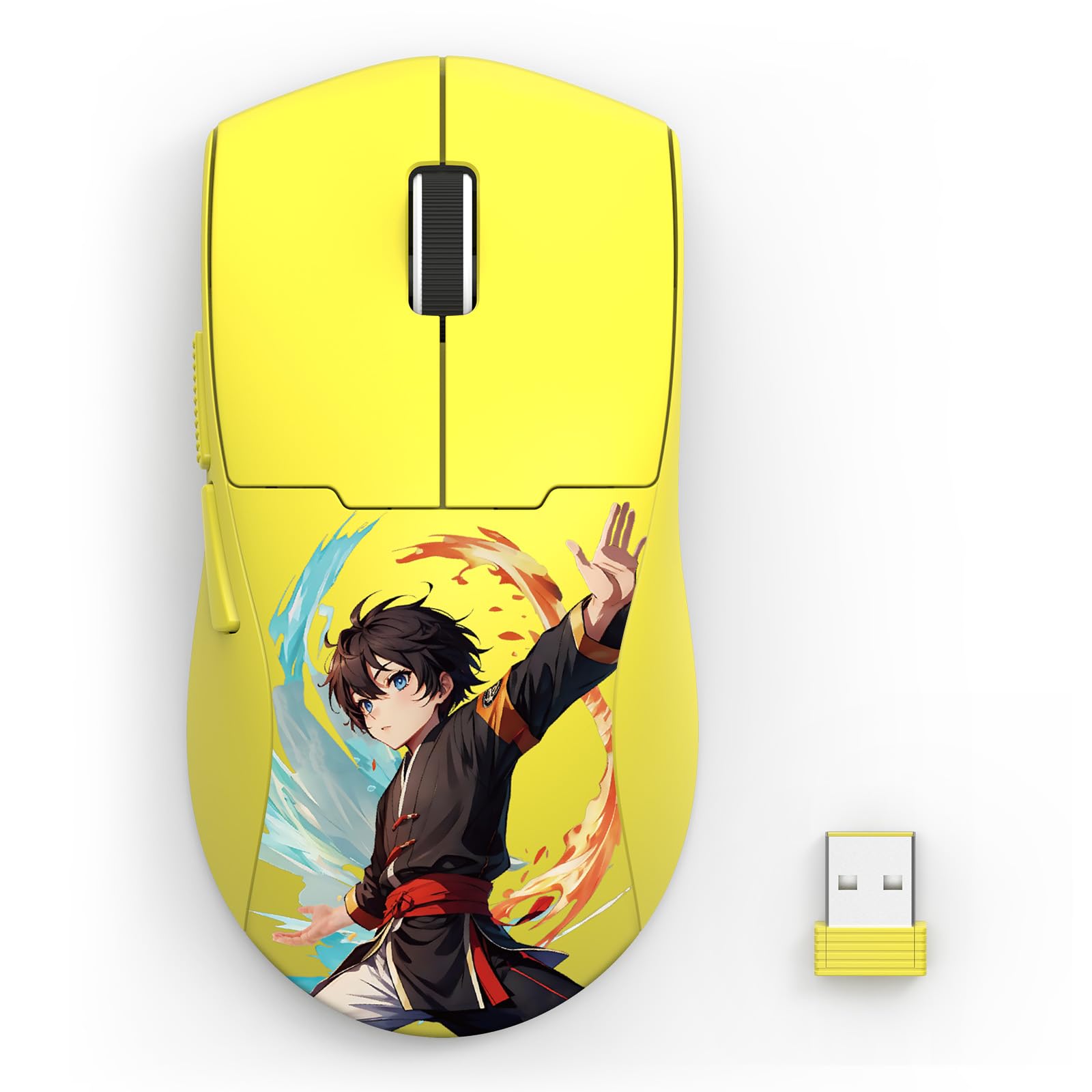
Wireless can be appealing if a cable gets in the way of quick movements. If you are considering a wireless model, also think about how you will charge it and whether its shape suits your grip. The featured 26K DPI wireless gaming mouse is described as lightweight and ergonomic, but those labels alone cannot tell you how it will feel in your hand.

Featured in this guide
Wireless Gaming Mouse with 26K DPI – Lightweight Ergonomic Design
When comparing lightweight mice, pay attention to where your fingers land, whether you can reach the buttons without shifting your grip, and whether the mouse stays steady during small movements. Try the motions you actually use in games: track a moving target, make a quick turn, then lift and reset the mouse. Discomfort, accidental clicks, or repeated grip adjustments are reasons to keep looking.
The best lightweight gaming mouse is ultimately one that lets you play accurately and comfortably at your preferred sensitivity. Choose the shape and control you trust first; treat low weight and a high DPI specification as supporting features rather than a guarantee of better play.
The best choice is not necessarily the mouse with the lowest weight; it is the lightest one you can grip, lift, and aim with comfortably. Compare shape and button placement alongside weight before deciding.
No gaming mouse is No. 1 for everyone because hand size, grip, preferred games, and sensitivity vary. The strongest choice for you is one that feels comfortable and gives you consistent control in the games you play.



Leave a comment
You must be logged in to post a comment.